
How to insert graphics image (Bitmap) in SAP Smartforms
You can insert graphics object (Bitmap) in SAP smartforms as following:
- Select window that you want to insert graphic object and right click. System will list object that you can create.
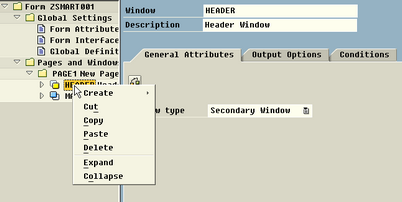
In the example, I have window name ’HEADER’ and I want to insert graphic object in this window.
- On popup menu, you will select Create -> Graphic
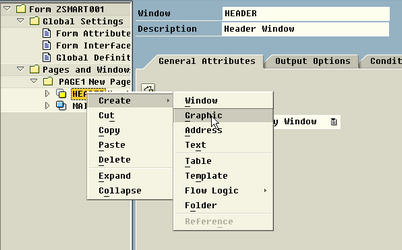
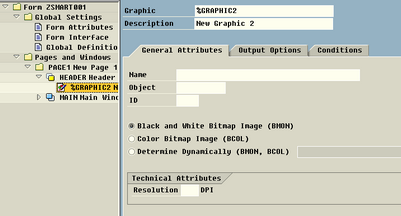
- System will default value of graphic name and description but you can change them.
- Input graphic object that already uploaded to SAP by transaction SE78 in General Attributes tab.
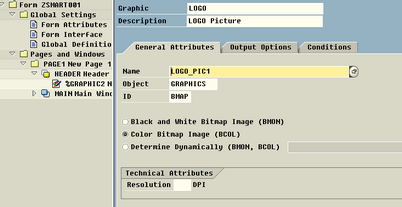
- You can set option and condition to show this picture by setting on Output Options and Condition Tab.
- You can test your form by select on menu bar Form -> Test or function key F8. (This form should be saved before test.)
- The output is:
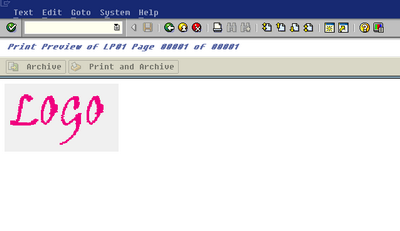
- thitima's blog
- 5917 reads

User login
Recent comments
-
Pyjamas 0.3 Released
3 years 29 weeks ago -
ผมว่าใช้ี
3 years 33 weeks ago -
Drupal is big thing!
3 years 34 weeks ago -
Adding a box to an existing form
3 years 34 weeks ago -
just a question, how to
3 years 35 weeks ago -
add a horizontal line after every data in Script
3 years 37 weeks ago -
I'm just getting into using
3 years 37 weeks ago -
how to create simple sap script i need the steps with snap shot
3 years 37 weeks ago -
แต้งค่า........
3 years 37 weeks ago -
Hi, I tried to execute the
3 years 38 weeks ago
Navigation
Who's online
There are currently 0 users and 28 guests online.
Syndicate

Transport to PRO
Post new comment